Results
How to connect your Twitch Account to The Outlast Trials Game and obtain your Twitch Drops
Here are some instructions of how you can link your Twitch account to earn exclusive rewards for our Twitch Drop campaign running from July 14th at 10am ET to August 11th at 9:59am ET.
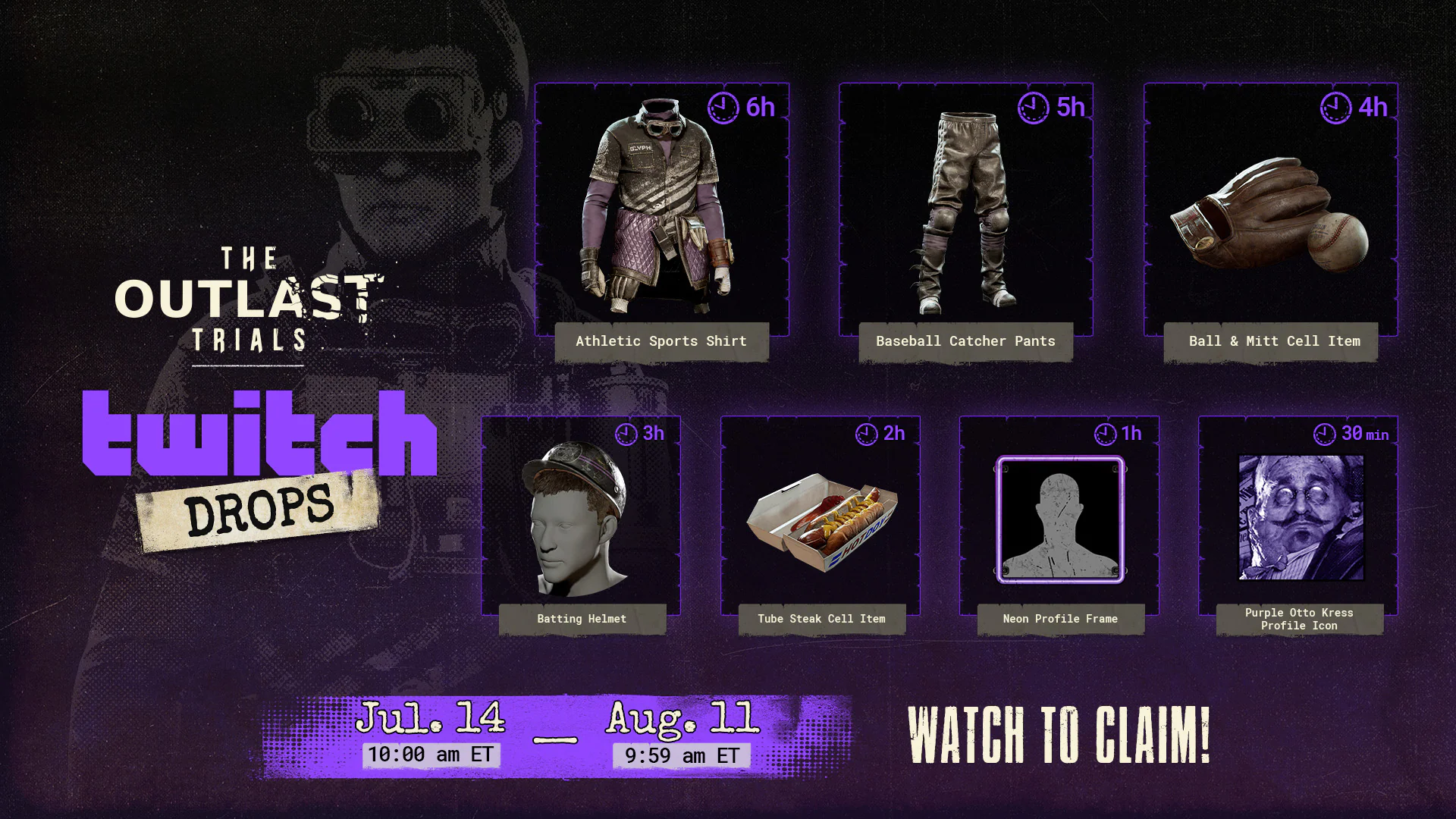
Twitch Account Linking
To obtain The Outlast Trials Twitch Drops from a participating channel (anyone streaming in “The Outlast Trials” Category on Twitch), you will have to first connect your Twitch account to The Outlast Trials so please follow these steps:
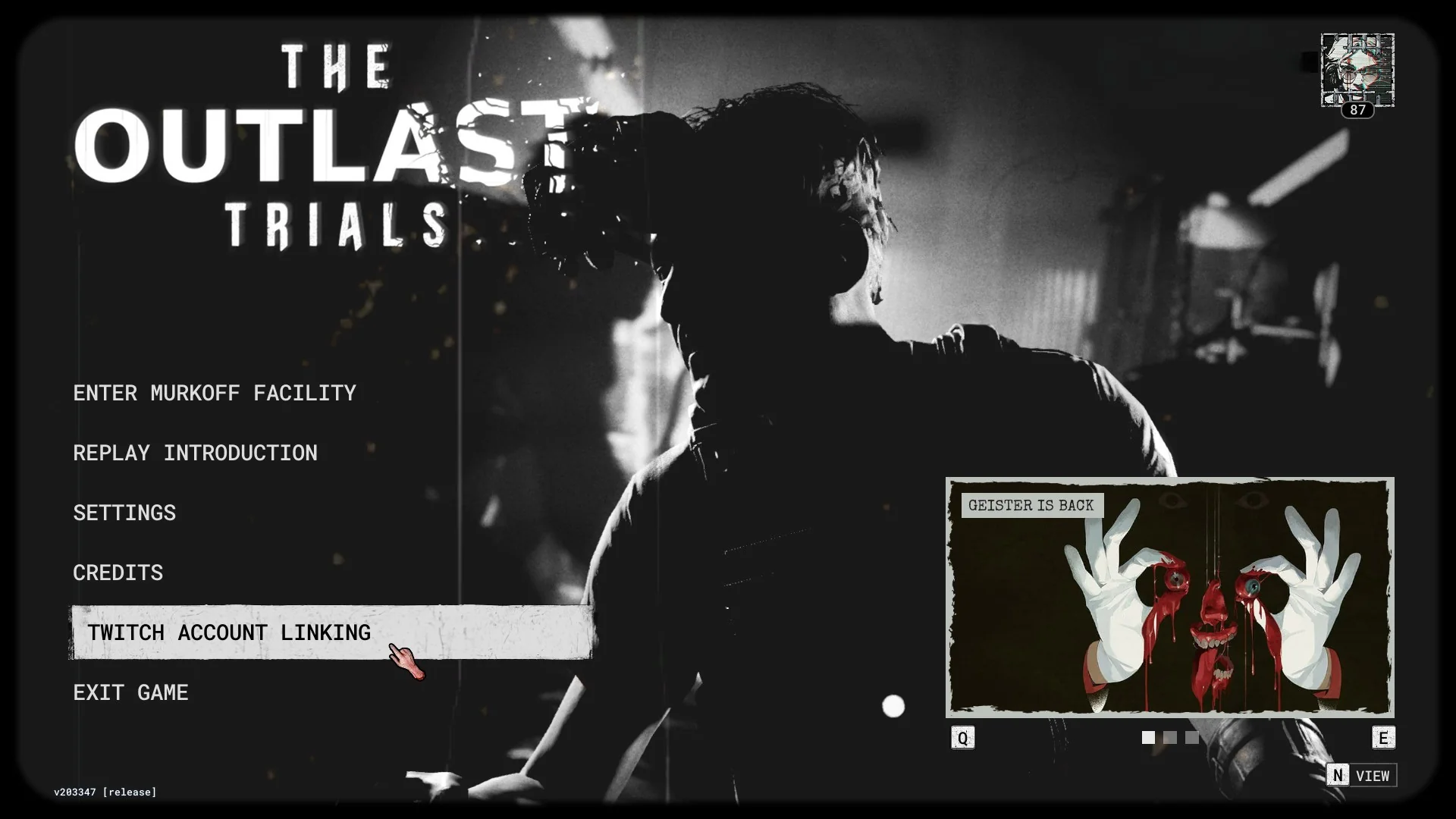
- Launch The Outlast Trials and click “Twitch Account Linking” on the game’s Main Menu.
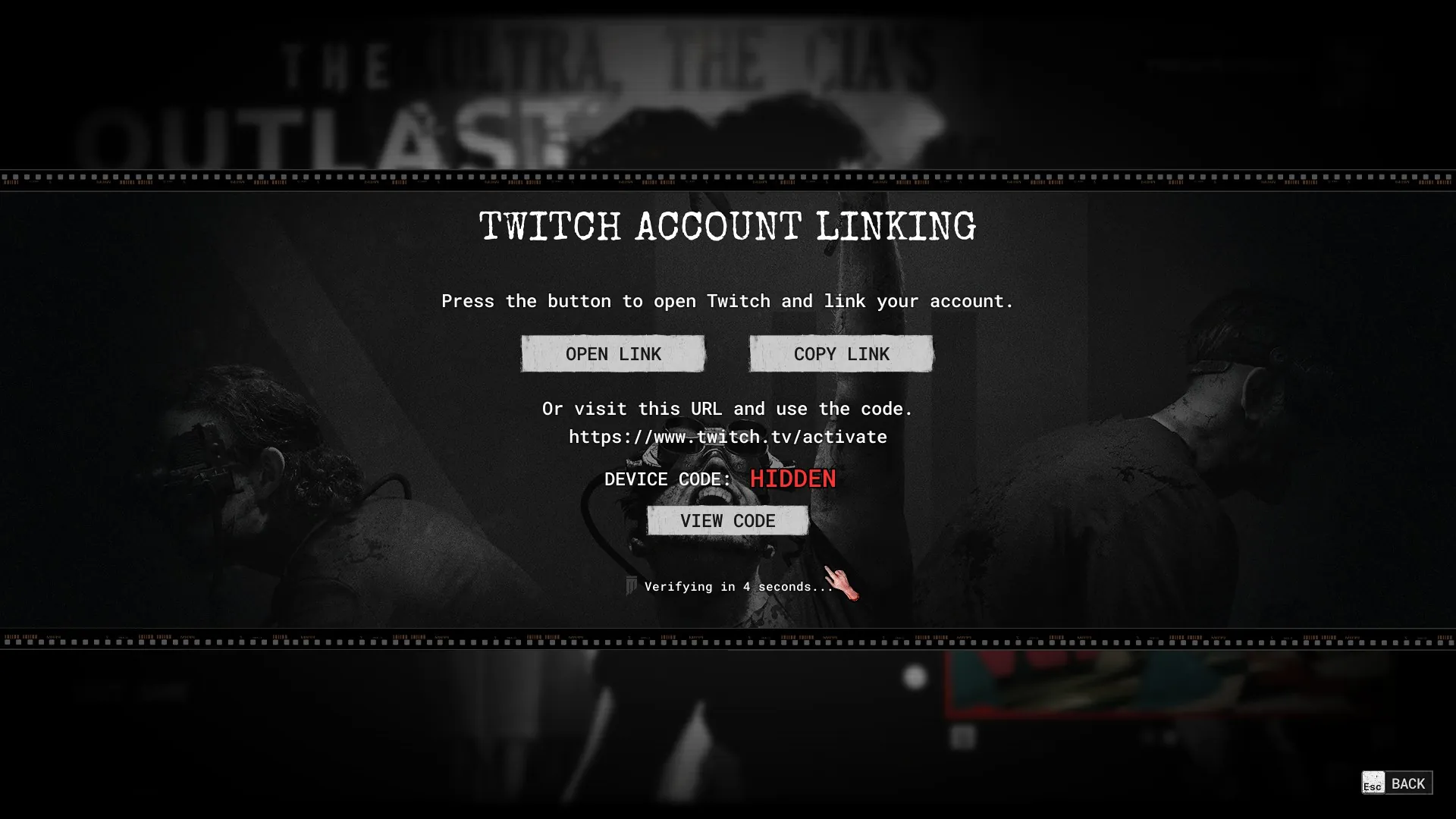
- Click “Open Link” to head to www.twitch.tv/activate or simply head to that page and use your Device Code, which you can copy to your clipboard and enter onto the Twitch Activate Page.
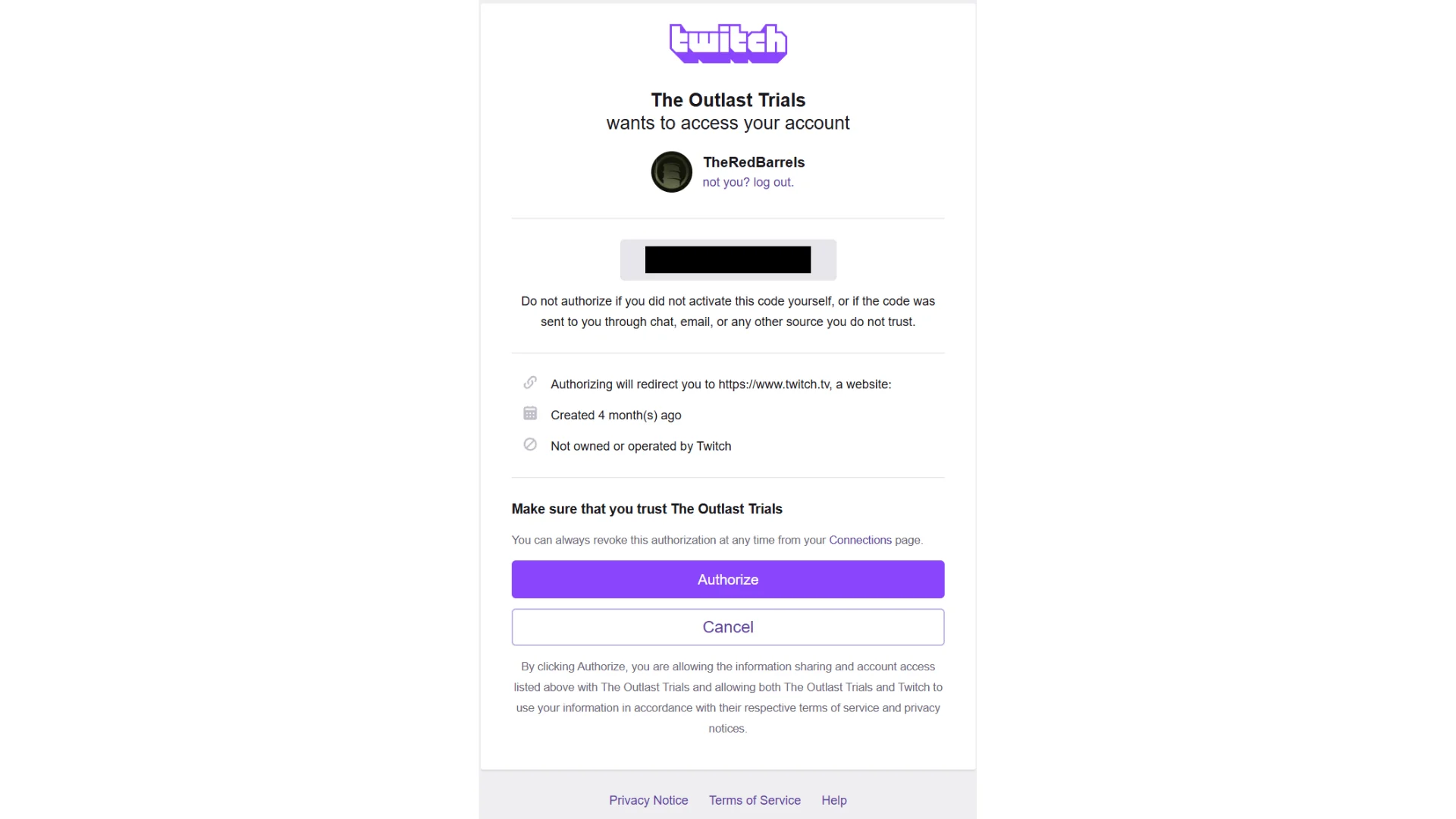
- Once you have entered your Device Code on twitch.tv/activate your will see the following screen. Simply press “Authorize” to finalize the connection.
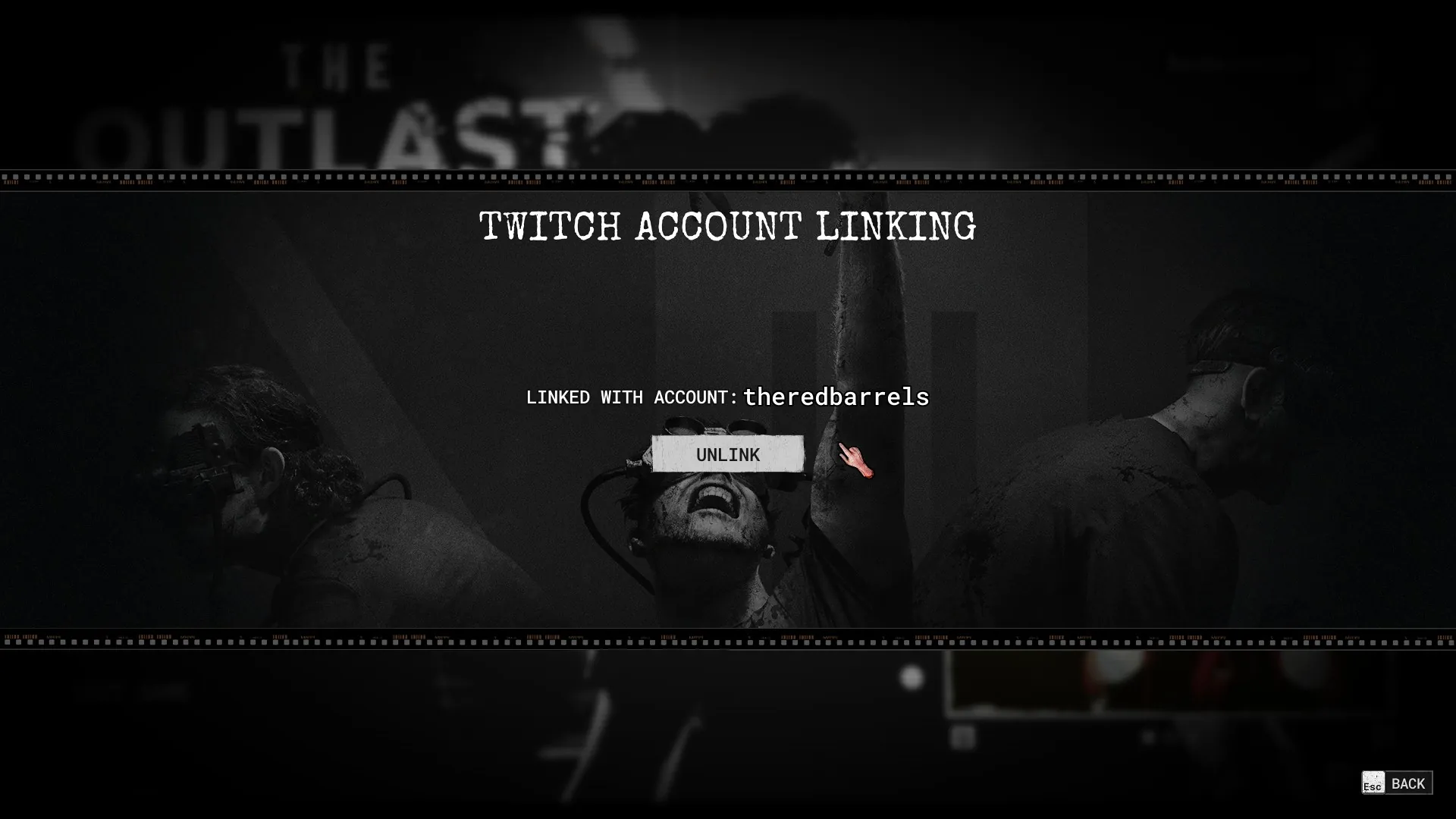
- Once the authorization is complete, you will notice that your account is now linked in the Twitch Account Linking page from the Main Menu in-game. Now you are all set to watch The Outlast Trials Twitch streams to obtain your Twitch Drops!
Tracking and Claiming your Twitch Drops
You can track your drops progress in the Drops & Rewards page found in your Settings on Twitch: www.twitch.tv/drops/inventory.
- When you’ve completed the requirements to earn each Drop, you will have to click the “CLAIM NOW” button that will appear once you reach the progress watch time for the specific Drops.

- Once you click “CLAIM NOW” in your Twitch Drop Inventory, the item will be moved to the “CLAIMED” section in your Twitch Drop inventory with a checkmark underneath it and the item will be awarded to you automatically in-game.
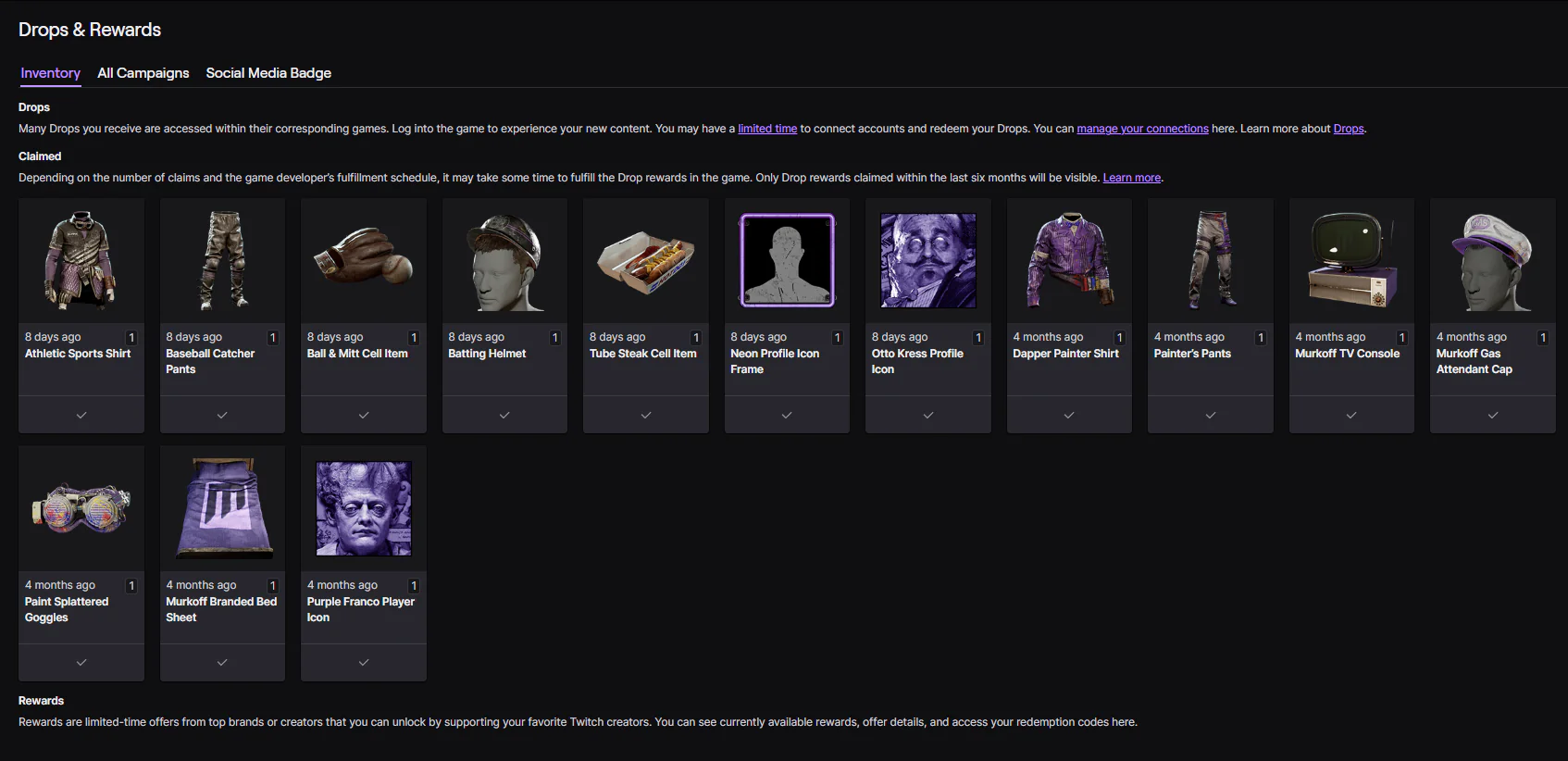
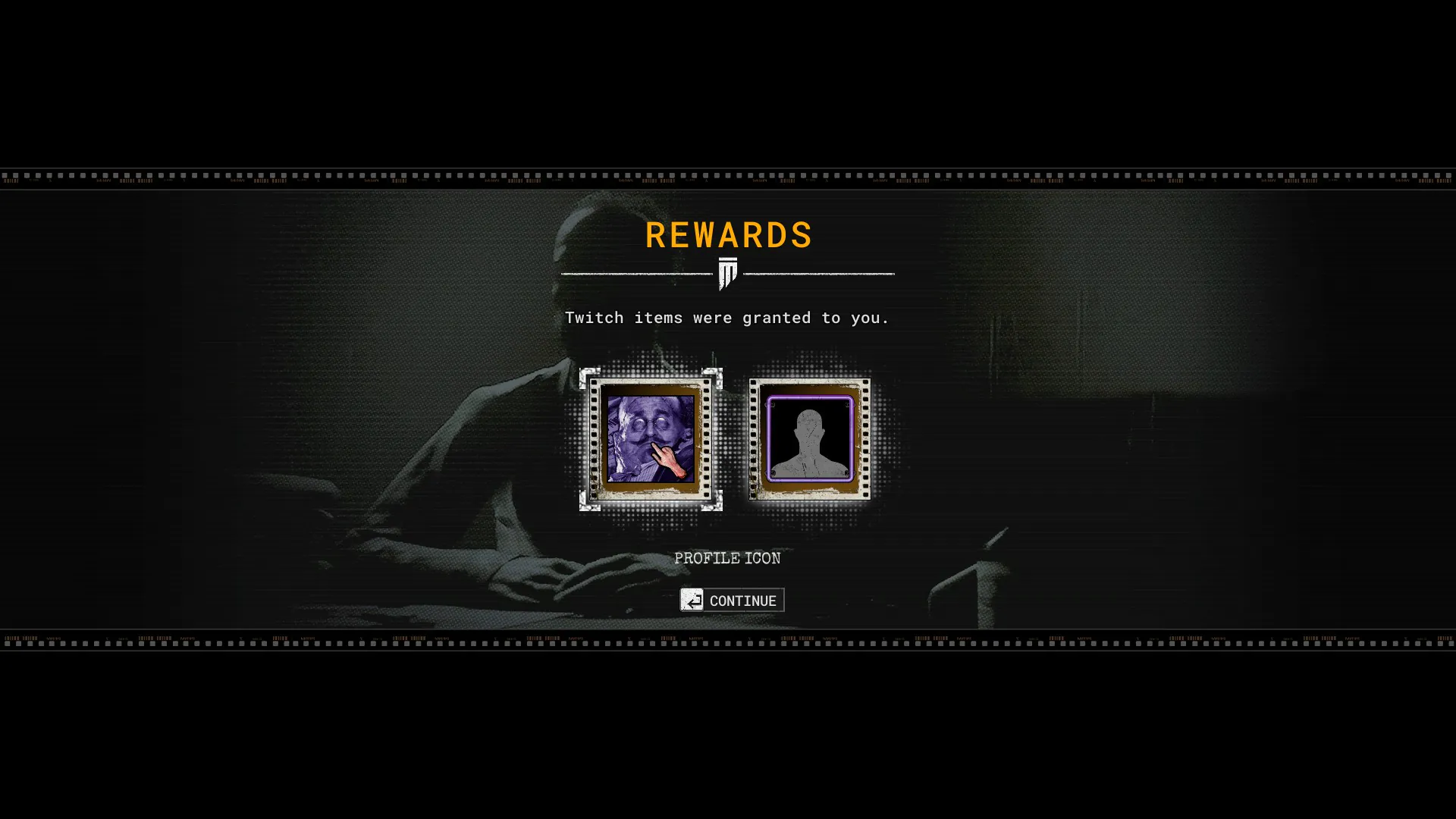
- To see your Twitch Drops in The Outlast Trials, simply log back into the game (if you are already in game, please close The Outlast Trials and re-open it). After you “ENTER MURKOFF FACILITY” from the Main Menu, you will see a pop up when you load into the SLEEP ROOM displaying your acquired Twitch Drop Rewards in-game! (see screenshot below)
- Equip your new Twitch Drop Items through the Cell Customization (Access from the Bed in your Cell) and Reagent Customization (Access from the Mirror in your Cell) menus to find your new rewards in you inventory. Make sure to reload your game AFTER clicking the “CLAIM” button on Twitch, and the item should be found in your Inventory in-game (see the screenshots below).
Important note: Once the Twitch Drop campaign ends you will have 14 days to claim your items in your Twitch Drops Inventory by clicking the “CLAIM NOW” button on Twitch or you will lose them.
Taking Part in the Twitch Drops
To partake in the Twitch Drops as a Streamer and ensure that your audience obtains progress on The Outlast Trial’s Drops, make sure your Category is set as “The Outlast Trials”. This campaign is open to anyone streaming The Outlast Trials!
A reminder that you can join our official 18+ Outlast Discord Server and open a ‘/ticket’ to speak directly with our support team about any issues you encounter in-game or with your Twitch Drops so we can attempt to assist you and investigate any potential issues. We thank you in advance for your patience!
Speak directly to a support agent
Join our 18+ Official Outlast Discord Server to meet fellow Reagents and speak directly to a support agent by using our ticketing system if you are experiencing issues in-game.